
RESOLUME PLUGIN / Mapping
Warper4C
Adjust image shape and perspective using four corner points.
macOS / Windows
Download plugin
macOS ↓ 0.9 MBWindows ↓ 0.9 MBZIP archive containing the build for your platform and the available supporting materials.
User guide
Warper4C
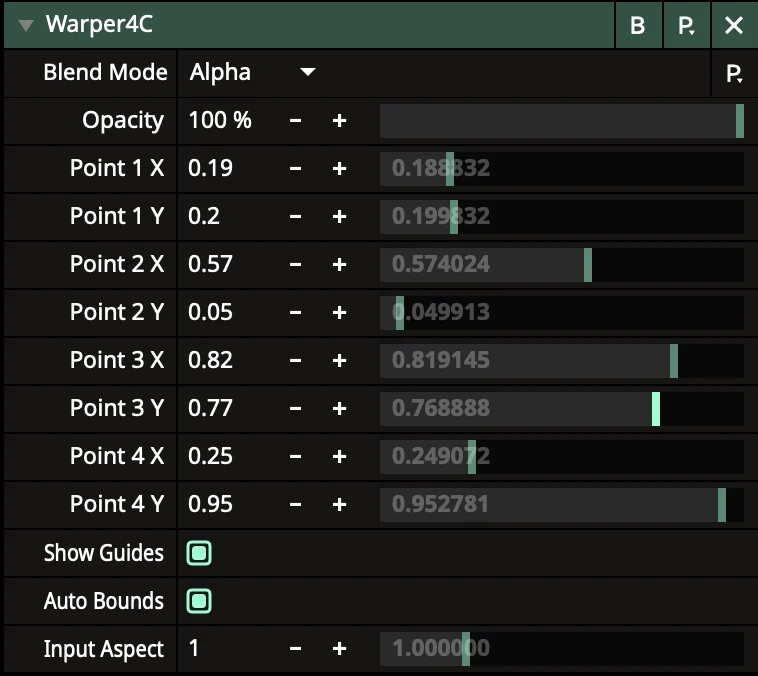
Warper4C is an FFGL effect for Resolume Arena that adjusts image shape and perspective using four corner points.
Installation
Choose the file for your platform:
- Windows: Warper4C.dll
- macOS: Warper4C.bundle
Place it in Extra Effects inside the user Resolume folder in Documents, then restart Resolume completely. If needed, add the plugin folder as an additional FFGL effects directory in Resolume's preferences.
After restarting, find Warper4C in Effects and drag it onto a clip, layer or composition.
Controls
The points run clockwise:
- 1 — red: top left.
- 2 — green: top right.
- 3 — blue: bottom right.
- 4 — yellow: bottom left.
Each point has two parameters: Point N X moves it horizontally and Point N Y moves it vertically.
- Show Guides — shows or hides the coloured numbered points.
- Auto Bounds — places the points at the actual image boundaries, preserving the aspect ratio of portrait and non-standard clips.
- Input Aspect — sets the aspect ratio manually when Auto Bounds is off. Examples: 9:16 = 0.5625, 1:1 = 1.0, 16:9 = 1.7778.
With Auto Bounds enabled, resetting a coordinate returns the point to the source image boundary rather than the composition edge.
Quick start
1. Add Warper4C to a clip.
2. Leave Auto Bounds and Show Guides enabled.
3. Adjust the coordinates of the four points.
4. Disable Show Guides before the show.
Do not cross the sides or place multiple points at the same position: the image may disappear.
If the points are placed incorrectly, toggle Auto Bounds off and on, or set Input Aspect manually.